Creator Guide
How to Distribute Your Music to Spotify, Apple Music and Beyond
Streaming services such as Spotify, Apple Music, YouTube Music, Deezer, Audiomack and Boomplay do not generally accept uploads directly from most artists. Instead, independent musicians use a digital distributor — a company that delivers your audio, artwork and metadata to the stores and collects the money they pay back.
Choosing a distributor and delivering a release correctly is one of the least glamorous parts of being an artist, but mistakes here can cost you playlist opportunities and royalties. This guide walks through the whole process.
What a distributor actually does
A distributor sits between you and the digital services. For each release it typically:
- delivers your audio files, cover art and metadata to the platforms you choose;
- assigns identifiers — an ISRC for each recording and a UPC or EAN for the release — if you do not have your own;
- collects the master-side royalties the platforms pay for your recordings and passes your share to you;
- provides sales and streaming reports; and
- often offers extras such as YouTube Content ID, pre-save links, lyrics delivery, or access to pitching tools.
What a standard distributor usually does not do is collect your songwriting royalties. Those are paid separately through performing rights organisations, mechanical rights organisations and publishers. Our guides to master royalties and publishing royalties explain the difference, and why you need to set up both.
Types of distributor
Well-known self-service distributors include DistroKid, TuneCore, CD Baby and Amuse, and some platforms, such as Audiomack, offer their own distribution. Beyond these, there are distributors focused on particular regions or genres, and label-services companies that offer marketing and advances to selected artists in exchange for a larger share or longer contract.
Business models differ and change over time, so check each provider's current terms rather than relying on old comparisons. Broadly, you will see:
- Annual subscription — a yearly fee for unlimited or many releases; your music may be taken down if you stop paying.
- Per-release fee — you pay for each single or album, sometimes with an ongoing charge to keep it live.
- Commission — the distributor keeps a percentage of your earnings, sometimes with no upfront fee.
- Selective or label-services deals — curated rosters, often with advances or marketing support, and more complex contracts.
How to compare distributors
Price is only one factor. Look at the total picture for how you actually release music.
| What to check | Why it matters |
|---|---|
| Fees and payout split | Compare upfront costs with the percentage you keep. A free service that takes a commission can cost more over time if the song does well. |
| Store coverage | Make sure the platforms your audience uses are included — for African audiences, that often means Audiomack and Boomplay as well as Spotify, Apple Music and YouTube. |
| Content ID and YouTube | Monetising user videos that use your song can matter a lot for dance and trend-led tracks, but Content ID can also flag licensed uses, so understand how disputes are handled. |
| Publishing administration | Some distributors offer it as an add-on. It is optional and separate from distribution; compare it with standalone publishing administrators. |
| Splits and payments | Automatic payment splitting between collaborators saves admin. Check payout thresholds, methods and currencies available in your country. |
| Contract terms | Look for term length, exclusivity, what happens if you leave, and whether your releases stay live if you stop paying. |
| Support and speed | Delivery times, quality of support and how quickly metadata corrections are made. |
To see how different payout arrangements might affect what you take home, run a few scenarios through the streaming earnings calculator. Treat the results as rough estimates: per-stream values vary by platform, country, subscription type and your deal.
Read the contract. For anything beyond a simple self-service upload — especially advances, label services or deals that take rights for a long term — consider asking a music lawyer to review it. This guide is general information, not legal advice.
Preparing your release
Audio
Deliver a high-quality master, usually as a lossless WAV or FLAC file at the resolution your distributor specifies. Do not upload MP3s if you can avoid it. Leave a little silence at the start and end rather than cutting off the first transient.
Artwork
Cover art must be square and high resolution; most distributors publish exact pixel requirements. Platforms commonly reject art that includes website addresses, social handles, pricing, blurry images or logos you are not entitled to use. Make sure you own or have licensed every image.
Metadata
Metadata is the information attached to your release, and it decides how your music is displayed, found and paid. Get these right:
- Artist name spelled exactly the same way every time, to avoid your music landing on someone else's profile.
- Featured artists entered in the correct field, not stuffed into the title.
- Songwriter, composer and producer credits.
- Correct language, genre and explicit-content flag.
- Release date and, if relevant, original release date for re-releases.
Rights and permissions
Only upload music you have the right to distribute. Uncleared samples, unlicensed beats and cover songs without the required mechanical licence are common causes of takedowns and withheld royalties. Some distributors can arrange cover-song licensing in certain territories. If you leased a beat, check that the licence allows commercial streaming and what limits it sets.
Step-by-step: uploading a release
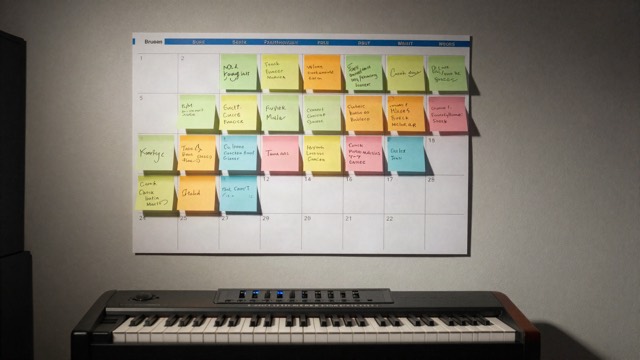
- Choose a Friday release date at least four weeks away. The release date planner maps out the tasks leading up to it.
- Create your account and set up payment details and tax information in advance.
- Enter the release details: title, artist, format (single, EP or album), genre, date and label name if you use one.
- Upload audio and artwork, then add track-level metadata and credits.
- Set up splits for collaborators if your distributor supports it.
- Choose stores and territories. Usually you want all of them.
- Review everything — once delivered, some changes require a takedown and re-upload.
- Submit and monitor for approval or any flagged issues.
- Claim your artist profiles on Spotify for Artists, Apple Music for Artists, YouTube and others, then pitch to editors before release.
After release: getting paid
Platforms usually report and pay distributors in arrears, so earnings typically appear in your dashboard a couple of months after the streams happened. Check your reports for oddities, keep records for tax, and make sure collaborators receive their shares. For how per-stream payments are worked out, read how Spotify royalties work.
Switching distributors
You can move distributors, but do it carefully. Reuse the same ISRCs and identical metadata when you re-deliver, and upload through the new distributor before taking down the old version, so platforms have the best chance of keeping your play counts, playlist placements and links intact. Ask both distributors how they handle transfers.
Mistakes to avoid
- Buying streams or using bot services. Distributors and platforms can remove releases, withhold royalties and close accounts over artificial streaming, even if a third party caused it.
- Uploading late. A last-minute upload rules out editorial pitching and leaves no time to fix errors.
- Inconsistent artist names across releases and collaborations.
- Forgetting publishing. Distribution alone does not collect your songwriter royalties.
- Signing without reading. Understand term, exclusivity and exit terms before agreeing.
Distribution checklist
- Distributor compared on fees, payout split, stores, Content ID, publishing admin and contract terms
- Lossless master and compliant square artwork ready
- Metadata and credits checked, artist name consistent
- Samples, beats and covers cleared
- Uploaded at least four weeks before a Friday release
- Splits set up and agreements signed
- Artist profiles claimed and editorial pitch sent
- Songs registered with your PRO and publishing administrator
Distribution is one piece of a bigger plan. Our step-by-step guide on how to plan a music release puts it in context.